
ChatBot: review, pricing and alternatives
What is ChatBot.com? An Overview
When you first hear “chatbot,” your mind might immediately jump to the likes of ChatGPT or Claude, those expansive AI models capable of generating everything from poetry to code. However, ChatBot.com operates in a distinct, yet equally vital, sphere. It’s not a general-purpose conversational AI for brainstorming or content creation; instead, it's a dedicated platform designed for building and deploying highly focused AI-driven chatbots.
My experience with ChatBot.com shows it's purpose-built for businesses looking to automate specific customer interactions. Think of it as a specialized tool for creating conversational agents that live on your website, social media, or internal communication channels. Its core mission is to streamline customer support, generate leads more efficiently, and provide instant answers to common queries, freeing up human agents for more complex tasks.
From what I've observed and used, the platform is particularly well-suited for small to medium-sized businesses (SMBs) across various sectors, including e-commerce, SaaS companies, and any organization with a customer support team eager to embrace automation. It also caters to agencies that build chatbots for their clients, offering a robust infrastructure without requiring extensive coding knowledge. Essentially, if you’re a non-technical user wanting to deploy an intelligent, task-oriented chatbot quickly, ChatBot.com aims to be your go-to solution.
Key Features: Building Your AI Chatbot
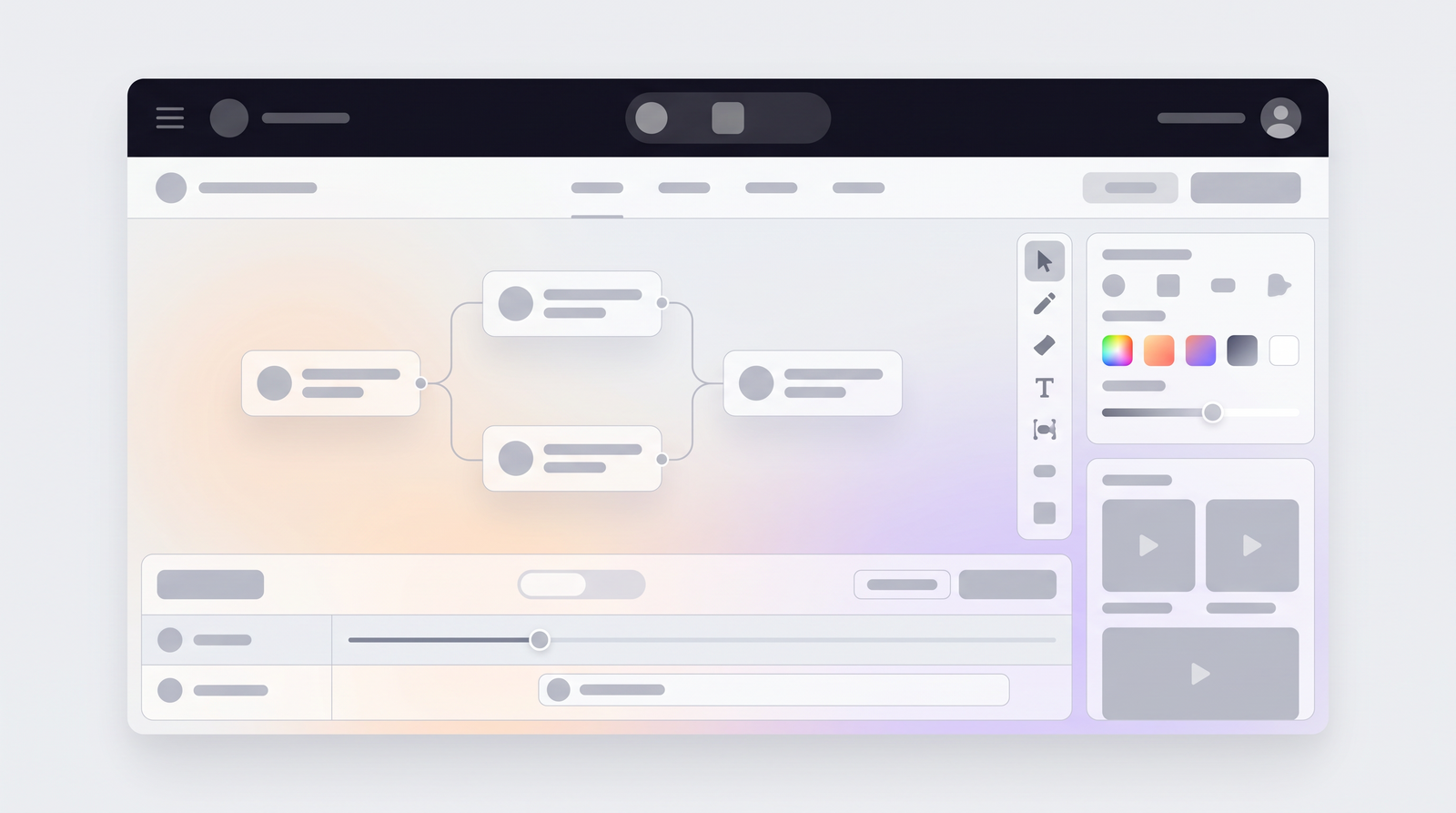
Diving into ChatBot.com, one of the first things that struck me was the intuitive nature of its core features, particularly how you go about building your bot. The platform is centered around a drag-and-drop flow builder, which, for someone who isn't a developer, is an absolute game-changer. You're not writing lines of code; instead, you're visually mapping out conversations, defining paths, and determining how your chatbot will respond to different user inputs. It truly simplifies the complex process of designing conversational logic.
Beyond the visual builder, ChatBot.com integrates robust AI capabilities that elevate a simple script into a genuinely intelligent agent. I found the 'Intents' feature particularly useful, allowing me to train the bot to understand the underlying purpose of a user's message, even if the phrasing varies. 'Entities' further refine this, enabling the bot to extract specific pieces of information, like dates, names, or product types, from a user's input. This combination makes the chatbot surprisingly effective at understanding natural language.
Another powerful component is the 'Knowledge Base.' This feature allows you to feed your bot with your company's FAQs, product information, or any other relevant data. The bot can then use this knowledge to answer questions dynamically, without you having to explicitly program every single answer into the flow builder. It's a fantastic way to ensure your bot can handle a wide range of inquiries. Additionally, the platform is designed to facilitate customer data collection through custom fields within your chatbot flows, which is invaluable for lead generation and personalizing interactions.
Deployment and Integrations
Once you’ve crafted your chatbot, the next logical step is to get it out there, interacting with your customers. ChatBot.com offers a good degree of flexibility when it comes to deployment. I appreciated that I could easily publish my chatbot on multiple channels, including my website, Facebook Messenger, and even Slack. This multi-channel capability ensures that your bot can meet your customers wherever they are, providing consistent support and engagement.
For website deployment, the platform provides a handy website widget. What I found particularly effective about this widget is its ability to send proactive messages. Instead of waiting for a user to initiate a conversation, you can configure the bot to pop up with a greeting or a targeted question after a certain amount of time or when a user visits a specific page. This proactive approach can significantly boost engagement and lead capture, drawing visitors into a conversation rather than just passively waiting for them.
Moreover, ChatBot.com isn't designed to operate in isolation. It integrates smoothly with other essential business tools, which I found crucial for a cohesive workflow. The integration with LiveChat, for instance, is seamless, allowing for a smooth handover of conversations from the bot to a human agent when needed. This hybrid approach ensures that complex or sensitive issues can still be handled by a person, maintaining a high level of customer satisfaction. Beyond that, the platform supports integrations with Zapier and Make.com (formerly Integromat), which essentially opens up a world of possibilities for connecting your chatbot with virtually any other application in your tech stack, from CRM systems to marketing automation tools. This extensibility is vital for creating a truly integrated customer experience.
Ease of Use: From Setup to Management
When I first approached ChatBot.com, I was curious about how quickly I could get a functional bot up and running, especially without a technical background. What I found was a platform that genuinely prioritizes ease of use. The drag-and-drop flow builder, as I mentioned, is remarkably intuitive. You don't need to be a programmer to design intricate conversational paths; it's more like drawing a flowchart. This simplicity means that even non-technical users can quickly grasp the fundamentals and start building their first chatbot flows within hours, not days.
Beyond the initial setup, managing your chatbot and improving its performance is also quite straightforward, thanks to the well-organized account management features. I particularly liked the dedicated tabs for different aspects of bot management. The 'Chatbots' tab gives you an overview of your existing flows, while the 'Visitors' tab lets you see who's interacting with your bot in real-time, offering valuable insights into user behavior.
The 'Training' tab is where the real magic happens for continuous improvement. This is where you can review questions your bot couldn't answer or misinterpreted, allowing you to refine its understanding and responses over time. It's an iterative process that makes your bot smarter with each interaction. The 'Archives' tab provides access to past conversations, which is excellent for auditing and understanding specific user journeys. Finally, the 'Reports' section offers built-in analytics, giving you insights into bot performance, frequently asked questions, and overall engagement. These management tools collectively make it easy to not just launch a bot, but to continually optimize it for better results.
Pricing Plans: Understanding the Investment
Understanding the financial commitment for any platform is crucial, and ChatBot.com's pricing structure is designed to cater to businesses of different sizes and needs. What I immediately noticed is their introductory offer: a 14-day free trial. This is a great way to explore the features and determine if the platform aligns with your specific requirements before making any financial commitment. I always recommend taking advantage of these trials to get a real feel for the user experience and functionality.
Once you move past the trial, the paid plans start at around $52 per month, which places it firmly in the budget of many small to medium businesses. However, the pricing can scale significantly, reaching up to $499 per month for higher tiers, and even beyond for enterprise-level solutions. The key distinction between these plans typically revolves around the number of active chatbots you can deploy, the volume of conversations your bot can handle, and access to more advanced features or higher levels of support.
While the research didn't detail every single plan's offering, it's safe to assume that as you move up the tiers, you unlock greater capacity and more sophisticated tools to manage larger volumes of customer interactions. It’s important to carefully assess your expected usage and feature needs to pick the plan that offers the best value for your investment. For most SMBs, the starting plans offer a comprehensive suite of tools to get started with automation.
| Plan | Price (per month) | Best for |
|---|---|---|
| Starter | $52 | Small Teams & Basic Automation |
| Team | $169 | Growing Businesses with Increased Traffic |
| Business | $499+ | Large Businesses & Advanced Integrations |
| Enterprise | Custom | High-Volume & Tailored Solutions |
Pros: What ChatBot.com Excels At
Through my hands-on exploration of ChatBot.com, several aspects consistently stood out as genuine strengths, making it a compelling option for its target audience. First and foremost, the intuitive flow builder is a major win. As someone who appreciates simplicity and efficiency, I found that designing complex conversational paths was surprisingly easy. The drag-and-drop interface truly demystifies chatbot creation, allowing non-technical users to build sophisticated bots without needing to write a single line of code. This ease of use significantly lowers the barrier to entry for businesses wanting to automate their customer interactions.
Another significant advantage is the platform's built-in AI capabilities. The 'Intents,' 'Entities,' and 'Knowledge Base' features aren't just buzzwords; they genuinely empower the chatbot to understand and respond intelligently. What I particularly liked is the 'Training' tab, which allows you to continually improve your bot by identifying and addressing unanswered questions. This iterative learning process ensures your bot gets smarter over time, leading to more accurate and helpful responses for your customers.
The seamless integration with LiveChat is another standout feature. This hybrid approach, where the bot handles routine queries and smoothly escalates to a human agent when necessary, is critical for maintaining customer satisfaction. It ensures that customers always have an option to speak to a person for complex issues, preventing frustration. Lastly, the ability to collect user information through custom fields within chatbot flows is highly effective for lead generation and personalizing customer interactions. This data can be invaluable for sales and marketing efforts, making the chatbot not just a support tool, but also a business growth engine.
Cons: Where ChatBot.com Falls Short
While ChatBot.com offers a lot to like, no platform is without its drawbacks, and I did encounter a couple of areas where I felt it could improve. One notable limitation I experienced was the lack of a comprehensive overview for all chatbot flows. As you start building more complex bots with numerous interconnected flows, it can become challenging to visualize the entire conversational architecture at a glance. You often have to navigate through individual flows, which can be a bit cumbersome when you're trying to get a holistic understanding of your bot's logic or debug a specific path. A birds-eye view or a more robust mapping tool would be a welcome addition.
Another specific area where I found ChatBot.com to be less robust was in its marketing possibilities on Facebook. While it integrates with Facebook Messenger for deployment, the functionality for advanced marketing campaigns or leveraging Facebook-specific advertising features directly through the platform felt somewhat limited. If your primary goal is to run sophisticated Facebook marketing campaigns heavily reliant on chatbot interactions, you might find yourself needing to supplement ChatBot.com with other tools or workarounds.
"While strong in core automation, the lack of a global flow overview and limited Facebook marketing features can be pain points for power users."
These aren't deal-breakers for most of its target audience, especially those focused on website-based customer support, but they are points worth considering depending on your specific use case and strategic priorities.
Who is ChatBot.com For? Ideal Use Cases
After spending time with ChatBot.com, I've developed a clear picture of who stands to gain the most from its capabilities. It's not a one-size-fits-all solution, but it excels in specific niches. Primarily, it's an excellent fit for small to medium businesses (SMBs) that are looking to automate their customer interactions without needing to hire a team of developers or invest in highly complex enterprise solutions. If you're an SMB struggling to keep up with customer inquiries or lead qualification, this platform offers a powerful, yet accessible, remedy.
For e-commerce businesses, ChatBot.com is particularly valuable. Imagine a bot that can answer common questions about shipping, returns, product availability, or even guide customers through product recommendations. This can significantly reduce cart abandonment and improve customer satisfaction, especially during peak seasons. I've seen firsthand how quickly a well-configured bot can handle these repetitive queries, allowing human agents to focus on more nuanced sales or support issues.
SaaS companies also benefit immensely from ChatBot.com. They often face a high volume of technical support questions, onboarding queries, and feature inquiries. A chatbot can provide instant answers to FAQs, guide users through troubleshooting steps, or even assist with feature discovery, enhancing the user experience and reducing the load on support teams. Lastly, any customer support team looking for automation, regardless of industry, will find ChatBot.com a powerful ally. It's designed to offload routine tasks, qualify leads, and provide 24/7 basic support, ensuring that your customers always have a point of contact, even outside of business hours.
ChatBot.com vs. The Competition
When considering ChatBot.com, it’s important to understand its place in the broader landscape of AI and chatbot solutions. On one hand, you have general-purpose AI chatbots like ChatGPT, Claude, or Google Gemini. These are powerful large language models (LLMs) designed for a vast array of tasks, from writing and coding to complex reasoning. They are fantastic for creative endeavors, research, or general conversational exploration. However, they are not platforms for building and deploying dedicated, task-specific conversational agents for your business website or Facebook page.
ChatBot.com, on the other hand, operates in the realm of *dedicated chatbot platforms*. Its direct competitors are other tools specifically designed for building conversational interfaces for businesses. What sets ChatBot.com apart, in my view, is its balance of ease of use with robust AI features. While some platforms might offer more granular control for developers, ChatBot.com shines for non-technical users and SMBs who need a straightforward way to implement AI-driven customer service and lead generation.
It carves out a specific niche by focusing on practical business applications, offering features like the drag-and-drop builder, built-in AI for understanding intents and entities, and seamless integrations with live chat and other business tools. When you compare its capabilities and market fit, you can see how it stacks up against alternatives on Top10k, highlighting its strength in creating focused, automated customer interactions rather than serving as a general AI assistant.
The Verdict: Is ChatBot.com Worth It?
After thoroughly exploring ChatBot.com, my verdict is quite positive, particularly for its intended audience. If you're a small to medium-sized business, an e-commerce store, a SaaS company, or an agency looking to efficiently automate customer support and lead generation, ChatBot.com is absolutely worth the investment. Its strengths lie squarely in its user-friendly design and powerful, yet accessible, AI features.
What consistently impressed me was the intuitive flow builder, which genuinely empowers anyone to create sophisticated chatbots without needing to delve into complex coding. The built-in AI capabilities, including Intents, Entities, and the Knowledge Base, ensure that your bot can understand and respond intelligently, continuously improving through the 'Training' feature. The seamless integration with LiveChat is a critical component, offering a robust hybrid support model that combines automation with human empathy when necessary.
While it does have minor shortcomings, such as the lack of a global flow overview and limited Facebook marketing functionalities, these are generally outweighed by its significant advantages for its target users. The 14-day free trial provides a risk-free opportunity to experience its benefits firsthand. For businesses prioritizing efficient customer interactions, lead qualification, and 24/7 basic support, ChatBot.com offers a compelling and effective solution that delivers tangible value for its cost.
Full profile and live ranking: https://top10k.com/ai/chatbot
Published by

Top10k Tools operates as an all-in-one online toolkit featuring a wide range of free utilities designed to save time on routine tasks.
The platform covers SEO, file conversion, calculators, developer utilities, image editing, and productivity. All tools are free and browser-based, so you can start in seconds.
The long-term vision is creating a complete library of 10,000 online utilities people actually need.
If your work happens online, there's likely a tool that fits. Find your next favorite tool.
Frequently asked questions
What is the pricing structure for ChatBot.com?
ChatBot.com offers a 14-day free trial to get started. After the trial, paid plans begin at $52 per month, with higher tiers available that can range up to $499 per month or custom pricing for enterprise solutions. The cost typically depends on the number of chatbots, conversation volume, and advanced features.
Does ChatBot.com offer a free plan?
While ChatBot.com does not offer a perpetual free plan, it provides a comprehensive 14-day free trial. This trial period allows you to fully explore its features and determine if it meets your business needs before committing to a paid subscription.
How does ChatBot.com compare to general AI chatbots like ChatGPT?
ChatBot.com is a dedicated platform for building specific, task-oriented conversational agents for businesses, whereas ChatGPT and similar models are general-purpose AI chatbots designed for broad conversational tasks, content generation, and complex reasoning. ChatBot.com focuses on automating customer support, lead generation, and providing instant answers based on predefined flows and a knowledge base.
What is the learning curve for using ChatBot.com?
The learning curve for ChatBot.com is generally considered low, especially for non-technical users. Its intuitive drag-and-drop flow builder allows you to visually design conversational paths without any coding. The platform's clear interface and management tools make setup and ongoing optimization straightforward.
Can ChatBot.com integrate with other business tools?
Yes, ChatBot.com offers robust integration capabilities. It integrates seamlessly with LiveChat for human agent handovers and supports connections with Zapier and Make.com. These integrations allow you to connect your chatbot with a wide array of other business applications, including CRM systems and marketing automation tools, for a cohesive workflow.
Is ChatBot.com suitable for small businesses?
Absolutely. ChatBot.com is particularly well-suited for small to medium businesses (SMBs), e-commerce stores, and SaaS companies. Its ease of use, affordable starting plans, and focus on automating customer support and lead generation make it an ideal solution for SMBs looking to enhance their customer interactions efficiently.
What are the main benefits of using ChatBot.com?
The main benefits include an easy-to-use drag-and-drop flow builder, built-in AI capabilities for understanding user intent and entities, a knowledge base for dynamic answers, seamless integration with LiveChat for hybrid support, and effective tools for customer data collection and lead generation. It helps automate routine queries and improve customer experience.
Are there any significant limitations to ChatBot.com?
Some identified limitations include a lack of a comprehensive overview for all chatbot flows, which can make managing complex bots challenging. Additionally, its marketing possibilities on Facebook might be less robust compared to dedicated social media marketing tools, potentially requiring supplementary solutions for advanced campaigns.